Scattered data
The information you need is spread across operational modules or source systems.
An analytical layer for your data
WebBizOraPulse helps companies using sales, purchase and accounting systems present their existing data in a clear form that supports analysis and decision-making.
No additional system for manually entering data
A daily reality
Operational systems collect important data, but they do not always make it easy to see the business picture quickly.
The information you need is spread across operational modules or source systems.
Analysis often means exports, spreadsheets and preparing similar summaries again and again.
Data is collected, but an operational tool is not necessarily a convenient analytical one.
How it works
It does not replace your sales or accounting system. It adds a prepared analytical layer on top, without duplicating manual data work.
Prepared views
Ready-to-use analytical views for areas available in the source data.
Documents, values, business partners, products and historical changes — where supported by source data.
Purchase-document data and prepared purchase analyses.
Payment information and its relationships with sales and purchase documents — where supported by the source system.
Information about business partners as well as products and individual items.
A high-level view for owners, boards and business managers.
Prepared financial-monitoring, indicator-monitoring and analytical views.
A working product
WebBizOraPulse displays prepared information where it is needed, without asking users to build their own reporting models.
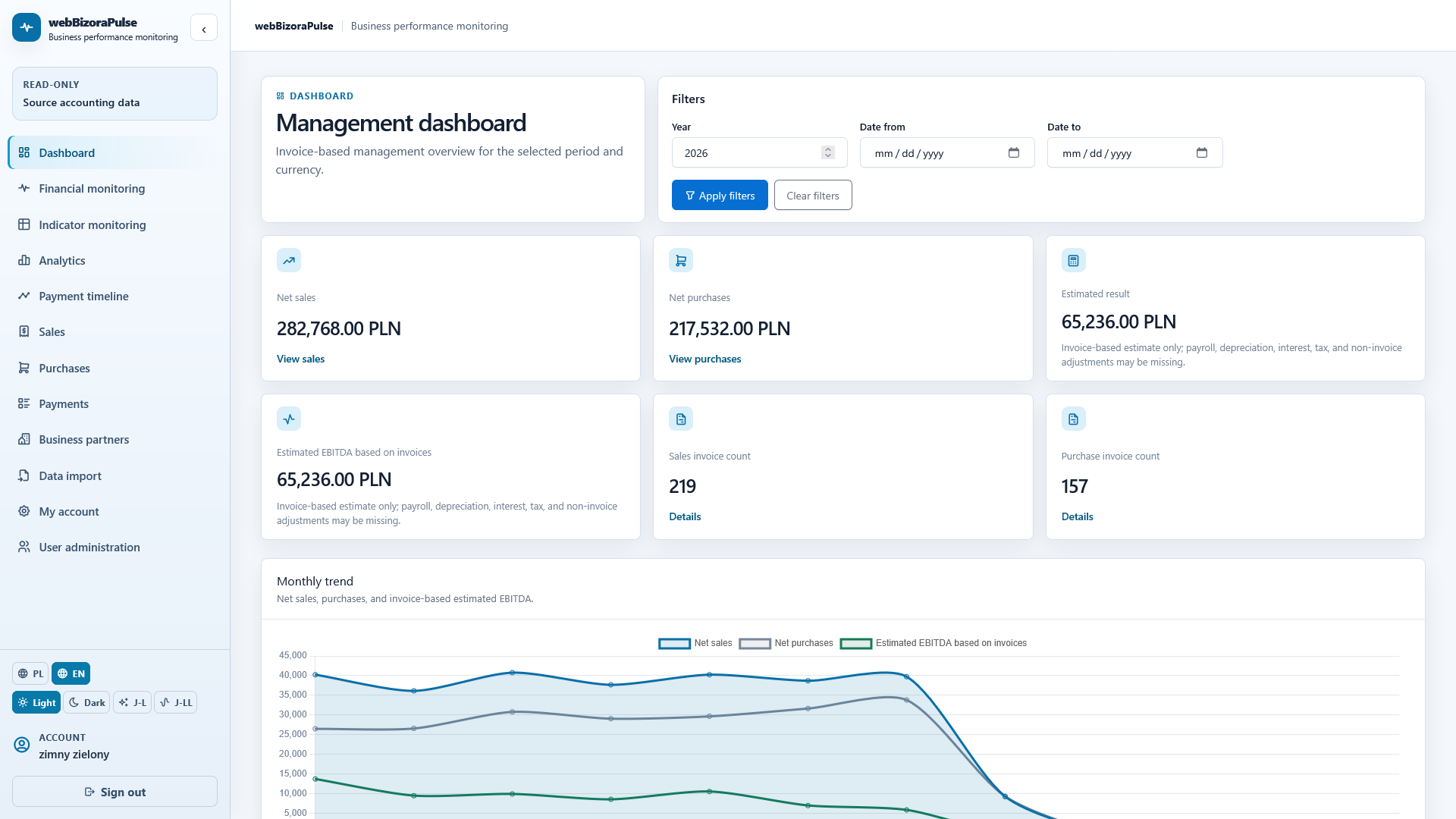
Management dashboard
The dashboard helps users start with business data quickly and move into the areas that matter.
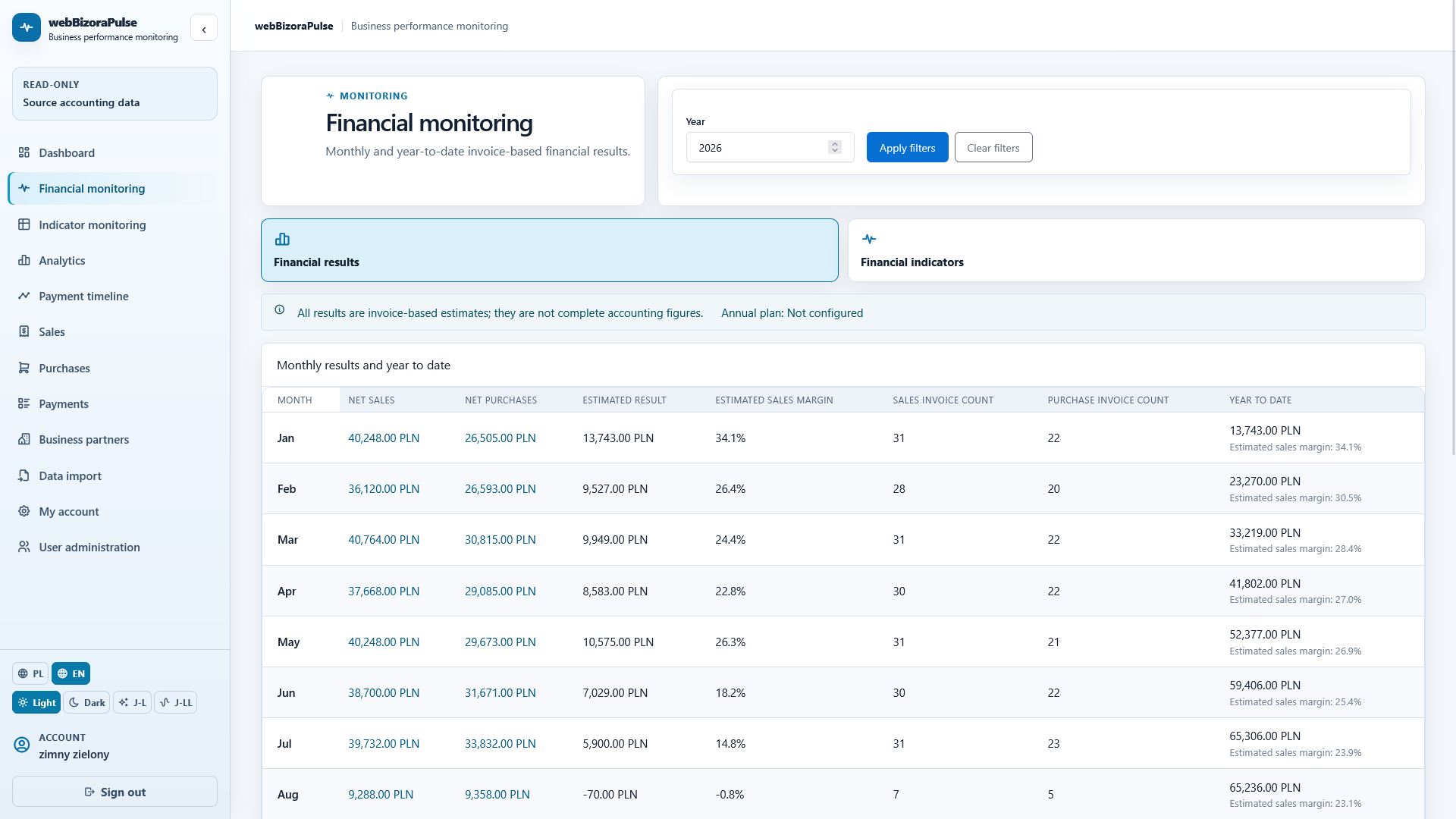
Financial monitoring
Monitoring views help analyse data provided by the source system in a consistent, clear form.
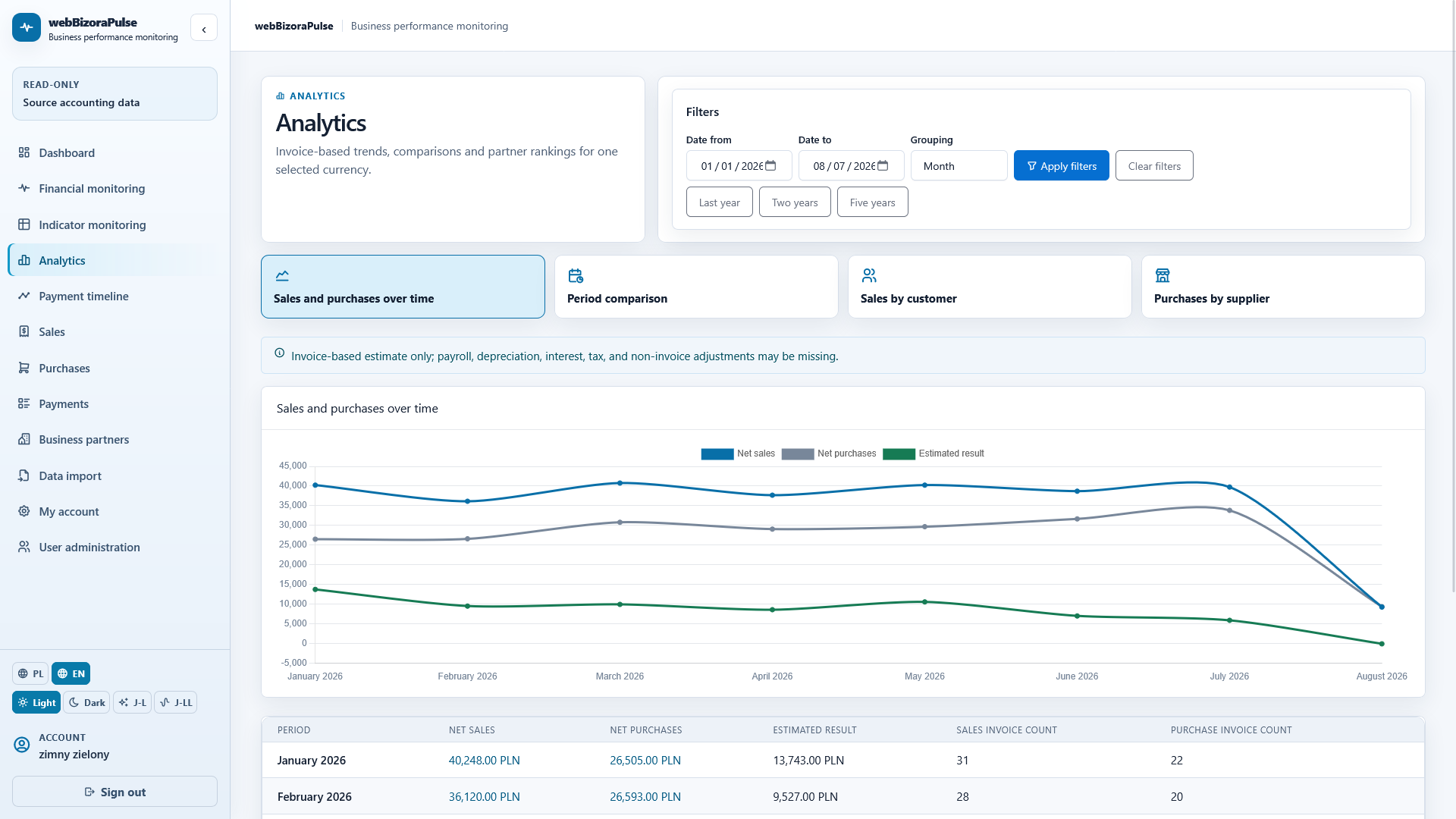
Analytics
Review available summaries without having to design reports and queries yourself.
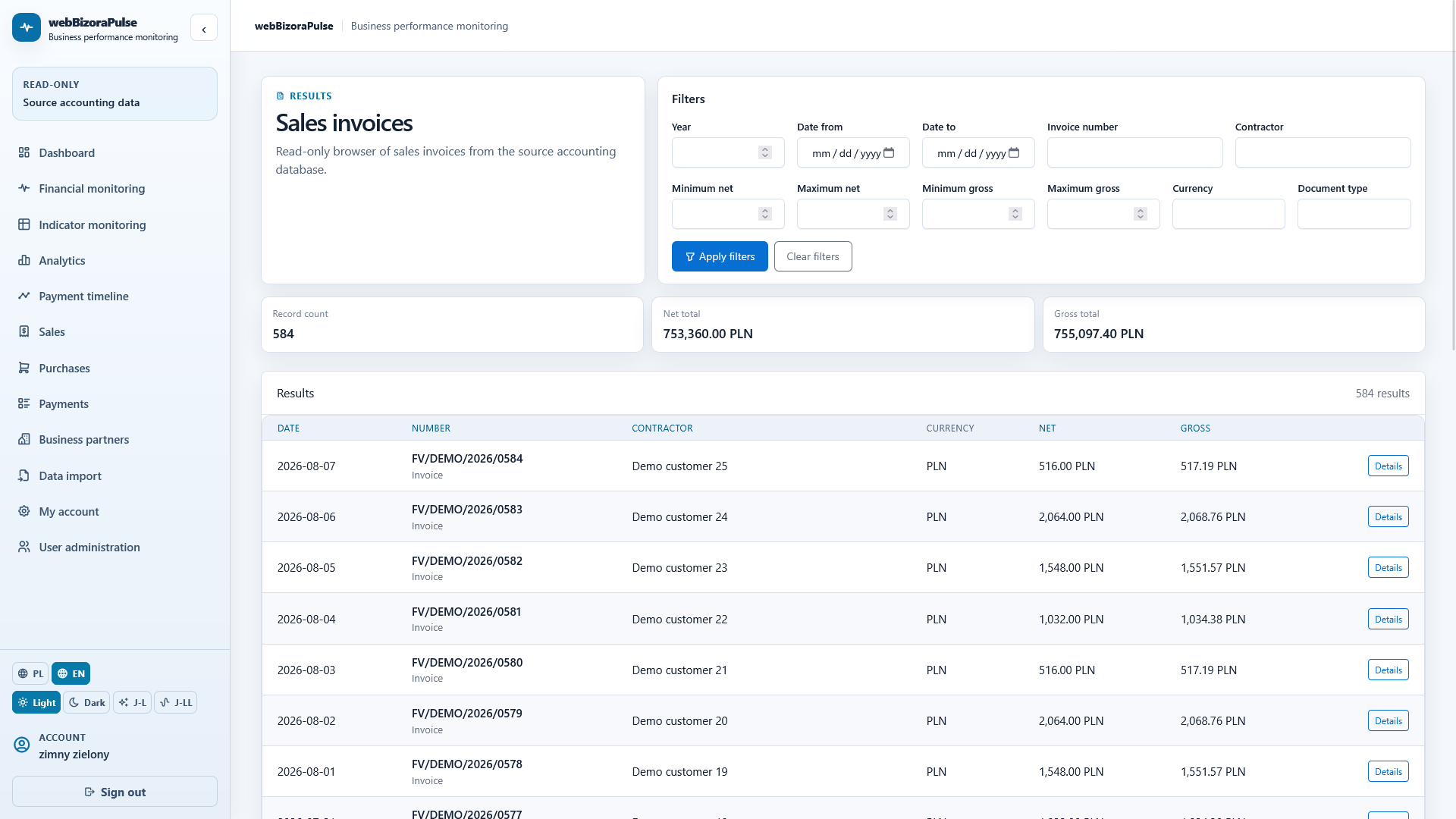
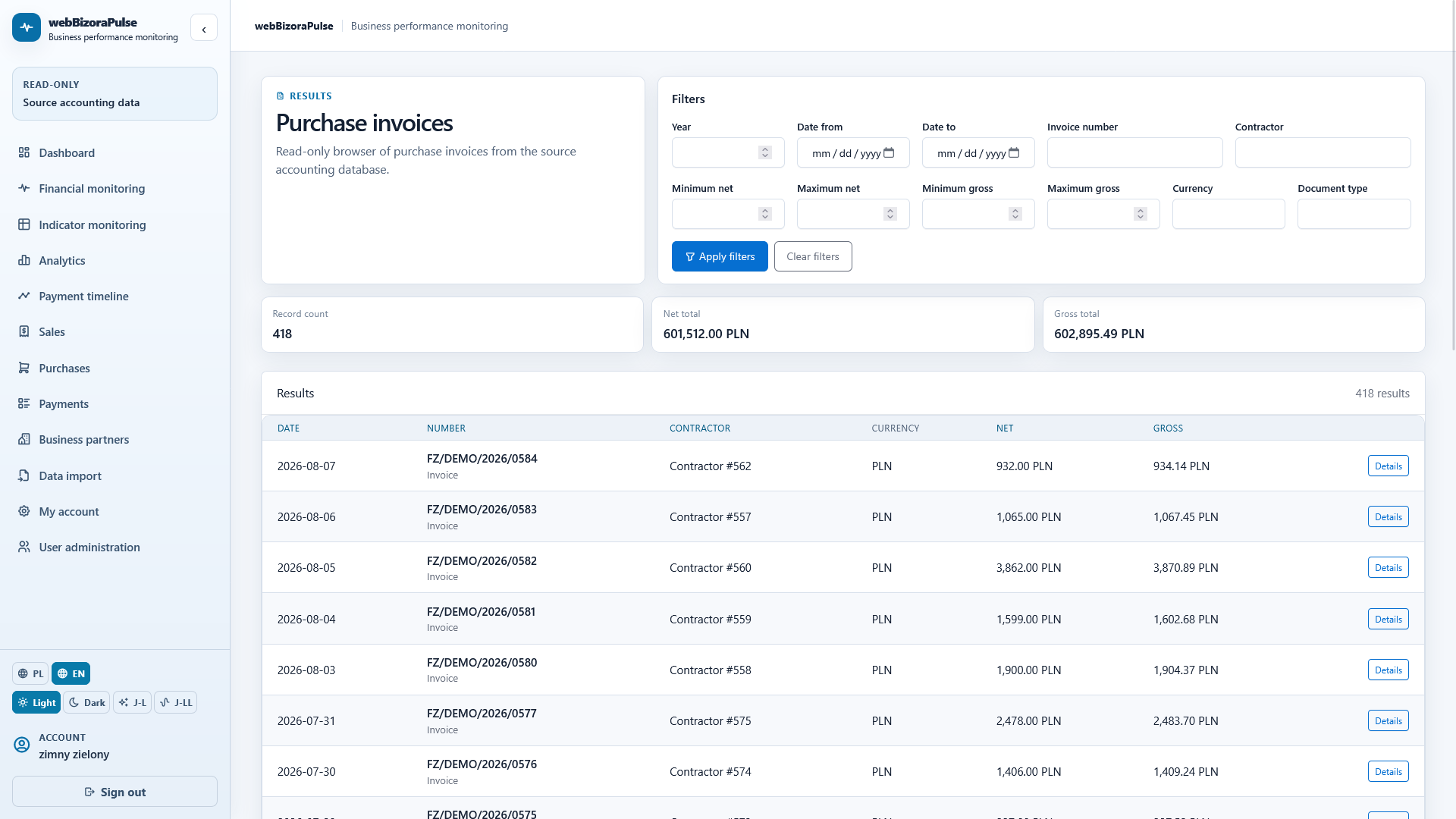
Operational data
Sales and purchase documents are available in prepared views, within the scope of the source system's data.
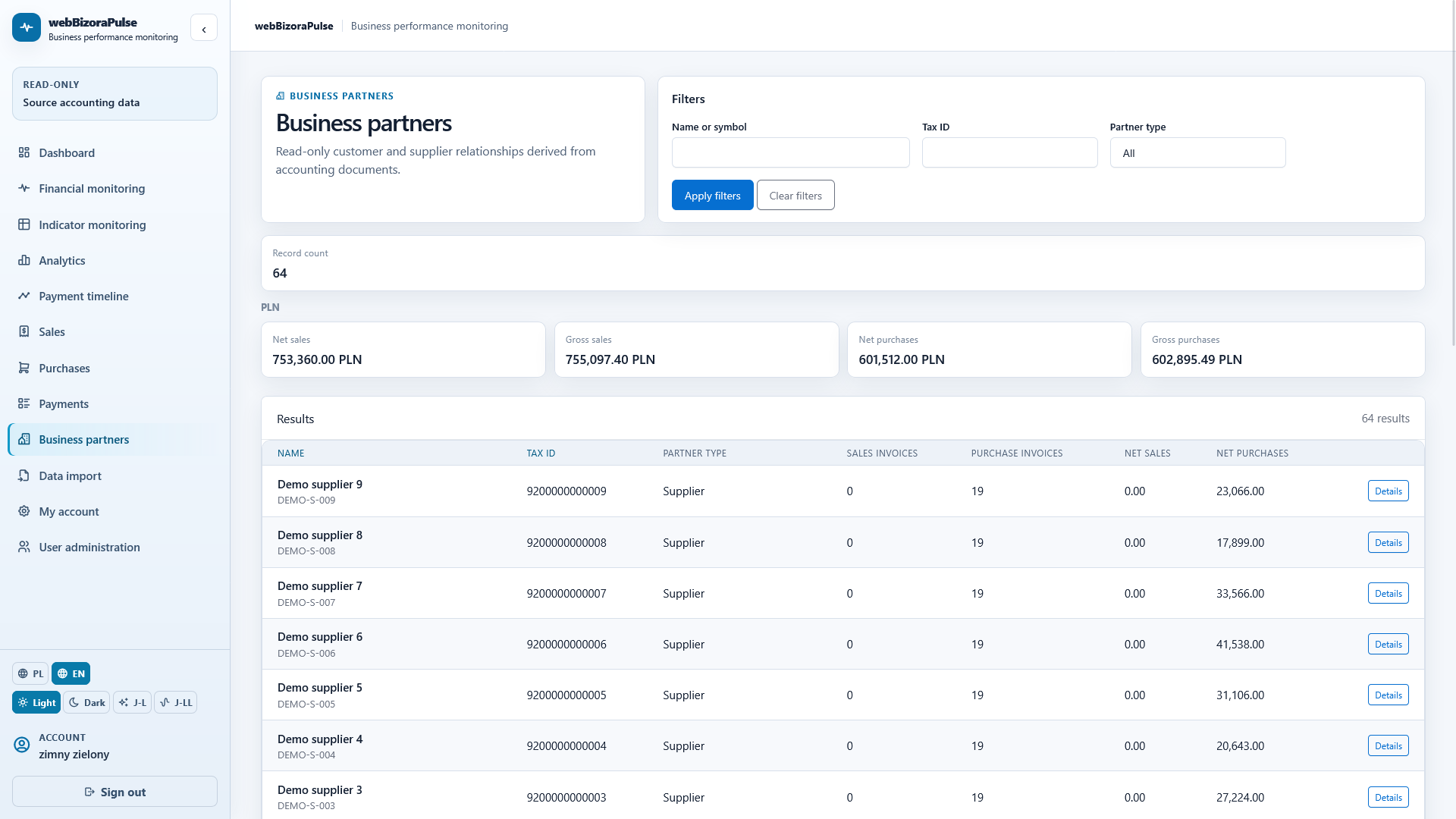
Business partners
Information about business partners helps complete the business picture.
Integrations
WebBizOraPulse uses data available from supported source solutions.
Direct data access
WebBizOraPulse can work directly with a customer's database of supported 3AP.NET sales applications, reading the required source data.
Integration layer
Integration with 360 Księgowość is provided through WebBizOraBridge, which transforms data between the source system and WebBizOraPulse.
WebBizOraBridge provides an integration layer that can be extended to support additional source systems.
A straightforward licensing model
WebBizOraPulse is licensed per company identified by its NIP number, not per user. A single service fee covers the accounts created within that company.
The license is assigned to the organisation, not an individual seat.
Additional user accounts are not licensed separately.
The company administrator creates and manages additional user accounts.
Deployment
Default model
The application is hosted on the provider's infrastructure.
By individual agreement
The application can run on the customer's infrastructure. The WebBizOraBridge integration component remains a managed integration service.
Responsible processing
The solution's scope and deployment approach are selected for the agreed integration and the company's needs.
Demonstration environment
Use the demonstration environment with fictitious data to see dashboards, monitoring and analytics in action.
The demo does not use production customer data.
Demo access
The HubSpot form will be embedded here.
The first step
First, we will identify the source system, available data, required analytical areas and the right integration method.
Product presentation
The HubSpot form will be embedded here.